
The showroom is a great place to sell stone. The customer's actual kitchen is a better one. When you're standing in the room where the countertop will live, seeing the light, the cabinets, the space, the sale gets easier, because everything is real. The challenge has always been bringing your catalog, your pricing, and your visual tools with you. StoneOS Field solves that by putting them on your phone.
Why on-site changes the sale
In the showroom, you're helping the customer imagine their kitchen. On-site, there's nothing to imagine, you're both looking at it. That shift does a lot of quiet work:
- You can point to the exact run of counter and talk specifics.
- You see the cabinets and floor the stone has to live with.
- The customer feels served, not sold, you came to them.
The only thing missing has traditionally been your tools. Sales reps show up with a tape measure and a memory, then promise to "get back to you with options." That trip back to the showroom is another gap where momentum leaks.
Price lookup in your pocket
The first thing StoneOS Field gives an on-site rep is answers. When the customer asks "what would this one cost?" you're not saying "I'll check when I'm back at the office." You look it up on your phone, on the spot.
Being able to answer pricing questions in the moment is a credibility multiplier. It signals that you know your product and respect the customer's time, and it keeps the conversation moving toward a decision instead of parking it until later.
The visualizer, on-site
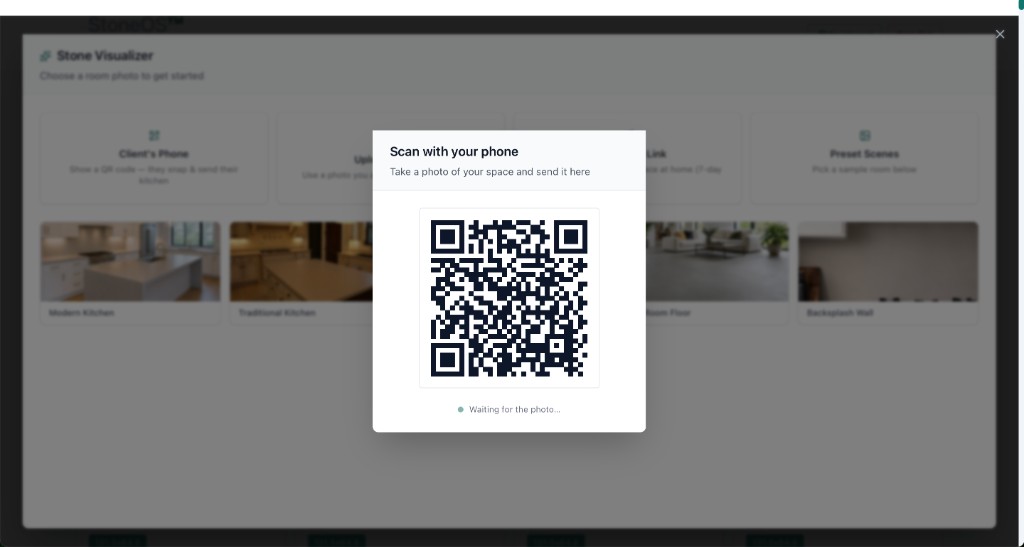
Then there's the AI visualizer, which is arguably better on-site than it is in the showroom. Standing in the customer's kitchen, you capture the space and render catalog stones onto their actual counters, right there, while they watch.
This is the visualizer at its most powerful. There's no "does this photo really represent my kitchen?" doubt, because it is their kitchen, captured moments ago. You choose the surfaces deliberately, countertops, island, backsplash, and show the customer their own room transformed, option after option, without leaving the house.
Send requires a real lead
On-site selling is only valuable if it feeds your pipeline, so StoneOS Field is built around lead capture. When you send renders or selections from the field, it requires the customer's contact details, name, email, and phone. Nothing goes out anonymously.
That's a deliberate design choice. Every on-site visit that produces a send also produces a captured lead with real contact information, so the visit is never a dead end. The customer gets their images; your business gets a prospect it can follow up with.
One platform, showroom to doorstep
What makes Field useful isn't that it's another mobile app to learn. It's that it's the same StoneOS you already run. The catalog is your catalog, the pricing is your pricing, and the visualizer is the same one your floor uses. A customer might start on the showroom's Discovery Hub, continue with a salesperson at the counter, and finish with an on-site visit, and it's all one continuous system, not three disconnected tools.
That continuity means nothing gets re-entered or lost as the sale moves from the showroom to the customer's home. The cart, the selections, the pricing, they follow the customer wherever the conversation happens.
Who Field is for
Field is especially valuable for showrooms that do measures, consultations, or design visits, anyone whose sales process includes time in the customer's home. Instead of treating that visit as data collection ("let me measure and get back to you"), Field turns it into a selling opportunity: answer pricing live, visualize on the spot, and leave with a captured lead.
If your sales process already puts you in customers' homes for measures or consultations, that visit is the most valuable selling time you get, and most showrooms waste it on data collection. Field turns it into a real sales conversation: answer pricing on the spot, render the stone in the actual room, and leave with a captured lead. The showroom sale and the on-site sale stop being two separate things.
The AI Visualizer page is a good next stop if you want to see the piece that does the heavy lifting on-site.